
Limousine Booking Software with Client Portal & Invoicing: The Complete Guide
Published on June 3, 2026
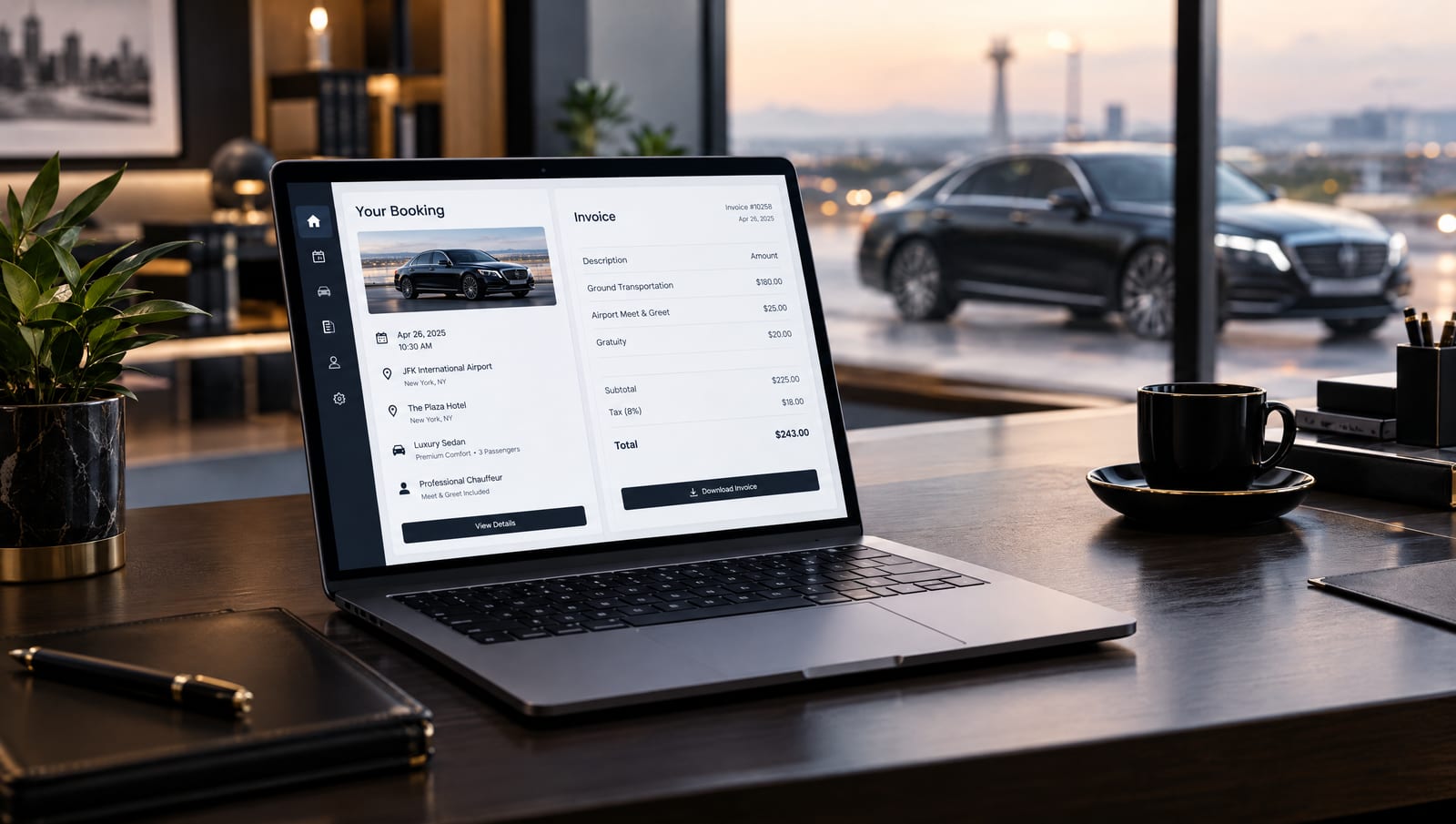
Quick answer: Limousine booking software with a client portal and built-in invoicing lets your customers book, reschedule, and pay online through a branded login while every completed trip becomes a professional invoice automatically. For corporate accounts, it enforces negotiated rates and groups trips onto one consolidated invoice that can sync to your accounting — removing the manual loop between booking a ride and getting paid.
Most limo operators don’t lose money on the road — they lose it in the back office. Quotes typed by hand, receipts requested by email, corporate trips invoiced one at a time, and a separate accounting program that never quite matches the dispatch system. A client portal and built-in invoicing close those gaps by letting customers serve themselves and turning every completed trip into a clean, trackable invoice.
This guide explains what each feature actually does, how they work together, what to look for when comparing platforms, and how it all streamlines the corporate and repeat business that keeps a chauffeur company profitable.
What is a client portal in limo booking software?
A client portal is a secure, branded login where your customers book and reschedule rides, view trip history, manage saved travelers, and pay invoices themselves — without calling or emailing the office.
For everyday customers, it removes the after-hours phone tag. For corporate clients, it does more: each account can be pre-configured with approved vehicle classes, negotiated rates, booking rules, and cost centers, so a company’s travel bookers only ever see what they’re allowed to book. Multiple users — admins, bookers, and travelers — can sit under a single company login.
In short: the portal turns one-off phone bookings into a self-service relationship that scales without adding office staff.
What does invoicing in limo software include?
Invoicing in limo software is the ability to turn completed trips into professional, branded invoices automatically — and to collect and reconcile payment without leaving the platform.
A capable invoicing module typically covers:
- One-click invoice creation — generate a branded invoice from a completed booking in one click, in your own format.
- Consolidated & recurring billing — group many trips for one account onto a single weekly or monthly invoice on agreed terms.
- Online payment — add a pay-now link and capture cards through a gateway like Stripe so clients pay online.
- Flexible terms — invoice deposits, stage payments, or balances, and handle multi-currency and tax for cross-border clients.
- Accounting sync — push invoices and payments to QuickBooks, Xero, or Sage so the books reconcile themselves.
- Affiliate / farm-out billing — settle shared work with partner operators when you farm jobs in or out.
Why do a client portal and invoicing matter together?
Separately, each saves time. Together, they remove the entire manual loop between booking a ride and getting paid for it — which is where small operators quietly lose hours and where corporate clients judge whether you’re a professional vendor.
- Corporate accounts expect it. Companies that move people regularly want a portal to book and a consolidated invoice to pay. A properly configured corporate account gives them both. Without them, you lose the contract to an operator who has them.
Three concrete payoffs:
- Fewer errors — a booking made in the portal carries the right rate and account details straight through to the invoice — no re-keying, no disputes.
- Faster cash flow — recurring invoices with pay-now links shorten the time between the ride and the deposit in your account.
- Real scalability — self-service booking and automated billing let one or two people manage far more accounts than a phone-and-spreadsheet operation ever could.
This is the “streamline your business” promise made specific: the portal feeds the invoice, the invoice feeds your accounting, and you stop being the bottleneck.
What features should you look for?
Use this checklist when comparing limousine booking software on portal and invoicing strength. The strongest platforms cover both columns in a single system rather than bolting on a separate accounting tool.
| Capability | What it does for you | Type | | --- | --- | --- | | Self-service booking | Clients book and reschedule rides from a branded login, 24/7, with no phone call | Portal | | Trip history & receipts | Customers view past trips and download receipts themselves | Portal | | Saved travelers & preferences | Store passenger profiles, vehicle preferences, and cost centers | Portal | | Per-account settings | Approved vehicle classes, negotiated rates, and booking rules per corporate client | Portal | | Multi-user company accounts | Travel bookers, admins, and travelers all under one company login | Portal | | Automated invoice generation | Turn completed trips into branded invoices in one click | Invoicing | | Recurring & consolidated billing | Bill a corporate account weekly or monthly across many trips at once | Invoicing | | Pay-now links & card capture | Customers pay invoices online, so you stop chasing payments | Invoicing | | Accounting sync | Export to QuickBooks, Xero, or Sage so your books reconcile automatically | Invoicing | | Multi-currency & tax handling | Invoice international and cross-border clients correctly | Invoicing | | Affiliate / farm-out billing | Settle shared work cleanly with partner operators | Invoicing |
A practical test: can a corporate client book a trip in the portal, and can that trip appear on next month’s consolidated invoice and in your accounting software — without anyone re-typing it? If yes, the integration is real.
How does the booking-to-invoice workflow work?
Here is the end-to-end flow a good system automates:
- Book. A corporate booker logs into the client portal and reserves a ride within their approved rates and vehicle classes.
- Fulfill. The trip is dispatched, completed, and the actual details (waiting time, extra stops) are captured automatically.
- Invoice. At the end of the billing cycle, the system groups that account’s trips onto one branded, consolidated invoice.
- Collect. The client pays via the pay-now link; the payment is recorded against the invoice.
- Reconcile. The invoice and payment sync to QuickBooks or Xero, and the trip shows in the client’s portal history.
Every step that used to require a phone call, a spreadsheet, or manual data entry is removed.
Where does LimoFlow fit?
LimoFlow is an all-in-one platform built specifically for limo, chauffeur, and shuttle operators, combining an online booking system, dispatch, a client portal, payments, automated invoicing, CRM, and reporting in one dashboard — so booking, billing, and accounting live in the same place instead of across four disconnected tools.
For operators serving corporate or repeat clients, that means self-service booking portals, consolidated and recurring invoices, online card payment through Stripe, and reporting you can act on — plus the marketing services (SEO, Google Ads, websites) to keep those accounts coming in. Setup requires no technical skills, and LimoFlow works with an existing website or provides a new one, across the US, UK, Canada, Australia, the UAE, and beyond.
The honest way to choose is to run one real corporate scenario end to end — portal booking, consolidated invoice, online payment, accounting sync — and confirm nobody had to re-type anything. That single test separates true all-in-one platforms from booking tools with invoicing bolted on.
Explore LimoFlow’s limo software | Book a free demo | View pricing
Frequently Asked Questions
What is a client portal in limo booking software?
A client portal is a secure, branded login where customers book and reschedule rides, view trip history, manage saved travelers, and pay invoices themselves — without calling the office. For corporate accounts it can enforce approved vehicle classes, negotiated rates, and cost centers.
Does limo booking software integrate with QuickBooks or Xero?
Many platforms export invoices and payments to accounting tools such as QuickBooks, Xero, or Sage so your books reconcile automatically. Confirm the specific integration — and whether it’s one-way export or two-way sync — before buying. (At LimoFlow, QuickBooks sync is currently in development.)
Can clients pay invoices online?
Yes. Most systems add a pay-now link to each invoice and capture card payments through a gateway like Stripe, which speeds up collection and cuts the time spent chasing payments.
Is a client portal worth it for a small limo company?
Yes, especially if you serve repeat or corporate clients. A portal removes after-hours phone bookings and receipt requests, and signals the professionalism that helps win and keep corporate accounts.
How does invoicing work for corporate accounts?
Trips booked under a corporate account are grouped and billed together on a recurring schedule — one consolidated, branded invoice with the agreed payment terms — instead of charging each ride separately.
Can the software send recurring invoices automatically?
Yes. Recurring billing generates and sends invoices on a set schedule (weekly or monthly) for accounts that ride regularly, removing manual invoice creation each cycle.
🚀 Want More Bookings?
LimoFlow is limo software that helps you attract leads, manage bookings, dispatch drivers, and grow your business.
Visit Homepage📱 Sign Up For Our Limo Marketing Newsletter
Sign up for SMS updates on strategies and tips to increase bookings.